← BackCase Study · David Silverlight
◆ Field Tool · Industrial Rollout

Nalco Lock App

A rugged field companion for installation specialists — scan the tank, fit the new lock, generate a unique combination, and document every unit to the backend. Built to keep a 28,000-tank rollout moving on schedule.

Tank lockingBarcode scanUnique combosBackend syncXamarin.Forms
28,000Tanks secured
1Condensed timeline
100%On schedule
Nalco Lock App
▮▮▮
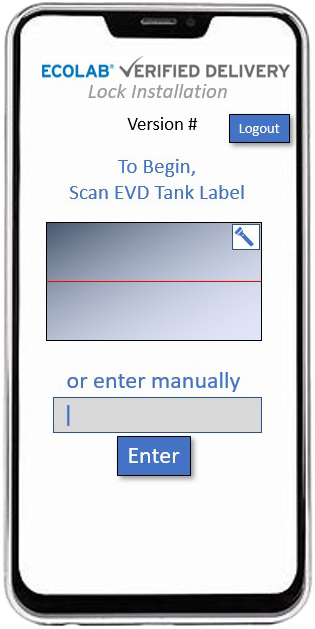
Scan tankBarcode ID
🔑
Generate comboUnique per unit
SyncBackend log
The brief

Lock down 28,000 tanks — without slowing the crew

A massive field rollout meant installation specialists had to fit a brand-new lock to tens of thousands of tanks, each with its own unique combination, and log every detail so the records stayed airtight. Doing that on paper — at that scale, on a tight deadline — was a non-starter.

The Nalco Lock App put the whole procedure in the installer's hand: scan the tank, configure the lock, generate a one-of-a-kind combination, and push a complete, verified record to the backend before moving to the next unit.

My role

Built & delivered under deadline

I developed the Nalco Lock App as a cross-platform Xamarin.Forms field tool and delivered it on a compressed timeline — the schedule the 28,000-tank installation depended on.

Xamarin.FormsField UXDelivery under deadline
The field workflow

One unit, start to finish

Every tank runs the same tight loop — designed so a specialist can repeat it thousands of times without a misstep.

01
🔐

Authenticate

Secure Microsoft SSO sign-in for every field specialist.

02
▮▮▮

Scan tank

Barcode scan identifies the exact unit on site.

03
🔒

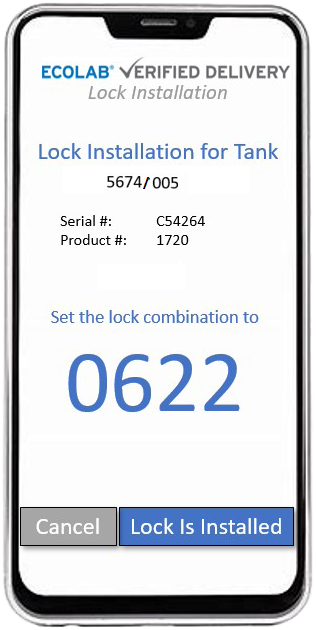
Fit the lock

Configure and fit the new lock hardware to the tank.

04
🔑

Generate combo

Produce a unique combination for that individual tank.

05

Document & sync

Push a verified record to the backend service via REST.

Capabilities

Engineered for the job site

▮▮▮

Barcode scanning

Fast, reliable tank identification in the field with an integrated barcode scanner.

🔑

Unique combinations

Generates a distinct, secure combination for every single tank in the program.

Backend documentation

Every install is captured and synced to a backend service over REST — a complete audit trail.

🛡️

Secure sign-in

Microsoft SSO keeps access controlled to authorized installation specialists.

🔊

Audio confirmation

SimpleAudioPlayer gives clear audible feedback on scans and actions — eyes-free on the line.

📶

Field-ready

A focused, rugged workflow that holds up to thousands of repetitions across job sites.

28,000Tanks · on schedule

Built for scale, delivered on time

The app existed to protect one number: the installation schedule. By turning a manual, error-prone procedure into a fast, guided loop, it helped the crew fit and document locks across 28,000 tanks — on a condensed timeline, without falling behind.

The app

On the device

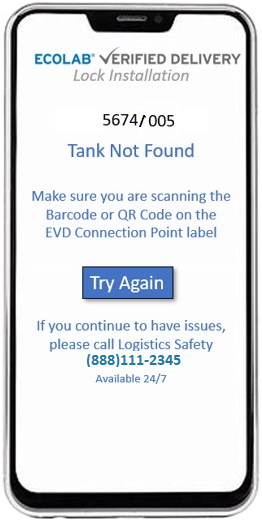
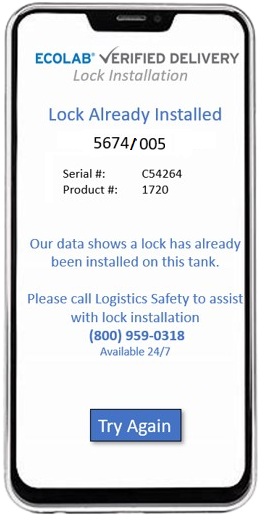
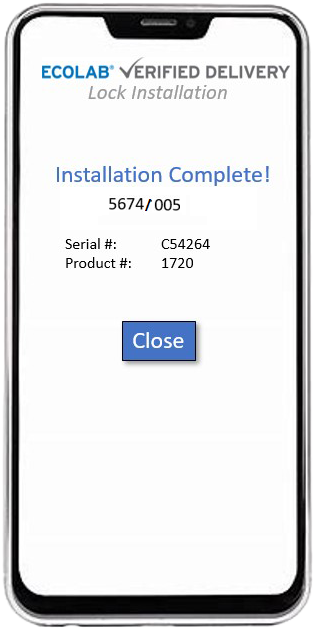
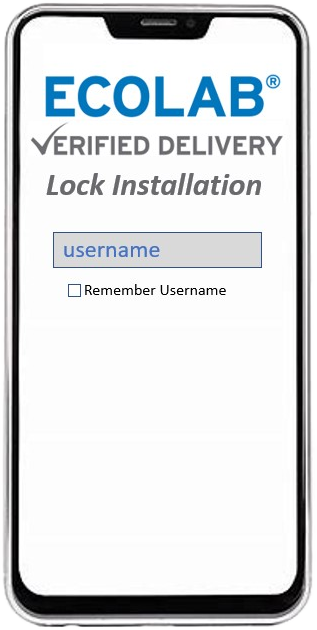
The Nalco Lock App in the field. Click any screen to enlarge.

Nalco screen 1
Sign in
Nalco screen 2
Scan tank
Nalco screen 3
Lock detail
Nalco screen 4
Combination
Nalco screen 5
Records
Nalco screen 6
Confirmation
Under the hood

Built to spec

A cross-platform Xamarin.Forms app with an MVVM core, hardware barcode scanning, audible feedback and a REST backend — engineered to be dependable in the hands of a field crew.

Xamarin.FormsMVVMRESTMicrosoft SSOBarcodeScannerSimpleAudioPlayeriOS & Android
×enlarged screenshot